inspire office space wp

workspace

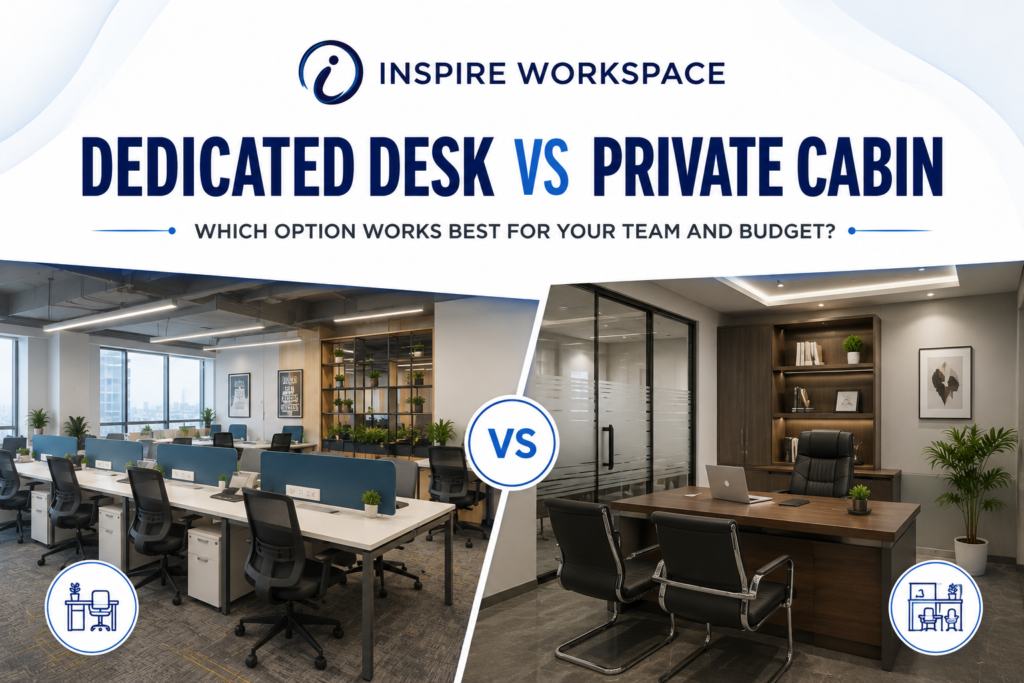
Dedicated desk vs private cabin in a modern coworking office space, comparing workspace options for teams and budgets
Blog, Coworking events in Chennai, Coworking Space, Flexible Office Space in Chennai, Furnished Office Space, Inspire Coworking, Inspire Office Space, Meeting Room, Renting office space in chennai, Shared Office Space

Dedicated Desk vs Private Cabin: Which One Actually Fits Your Business?

Introduction Picking an office space usually comes down to a handful of practical questions: how much can you spend, how much privacy do you actually need, and how big is your team going to be a year from now? Two of the most common options you’ll run into while researching coworking spaces are the dedicated desk and the private cabin — and while they might sound like minor variations of the same thing, each one solves a different kind of problem. If you’re shopping for office space, you’ve probably run into these two terms and wondered whether the difference really matters. It does — more than most people expect. A dedicated desk and a private cabin solve different problems, and picking the wrong one usually shows up later as either wasted money or a workspace that’s too cramped for what your team actually needs. Here’s how to think about it. What You Get With a Dedicated Desk Think of a dedicated desk as your own permanent spot inside a shared office. You’re not fighting for a seat every morning like you would with hot-desking — the same desk is yours every day — but you’re still working alongside other freelancers, small teams, and businesses in a shared floor. It’s a popular pick for: What makes it worth it: What You Get With a Private Cabin A private cabin is a closed, lockable room — your own four walls inside the coworking facility. This is the option people reach for once privacy and focus start to matter more than saving a few thousand rupees a month. It tends to make sense for: What makes it worth it: Dedicated Desk vs Private Cabin, Side by Side Factor Dedicated Desk Private Cabin Cost per seat ₹6,000 – ₹10,000/month ₹10,000 – ₹18,000+/month Privacy Open, shared surroundings Enclosed and lockable Ideal team size 1–4 people 3–15+ people Branding/signage Usually limited Often available Client meetings Book a separate meeting room Can often happen right in the cabin Best for Freelancers and small teams Growing or privacy-focused businesses So Which One Should You Pick? If cost is your main concern and you don’t need a closed room for most of your day, a dedicated desk gets the job done without the extra spend. You still get a proper desk, shared amenities, and a business address — just without paying for four walls you might not need yet. If privacy, client meetings, or team collaboration are non-negotiable, a private cabin is worth the extra cost. It’s especially useful once your work involves confidential conversations or you’re regularly bringing clients into the office. A good way to decide: don’t just look at your team size today — think about where it’ll be in six months. A lot of businesses start on a dedicated desk and move into a cabin once the team outgrows the open floor. Planning for that ahead of time saves you from switching providers or locations later. Growing Out of a Dedicated Desk Most businesses don’t start out needing a private cabin. Early on, a dedicated desk is usually enough — it’s affordable and gets the job done. But as you hire, take on more client meetings, or start handling work that needs to stay confidential, that open desk can start to feel limiting. That’s usually the point where a private cabin starts to make more sense — not because the dedicated desk was a bad choice, but because the business has outgrown it. It’s less about picking the “better” option upfront and more about matching the space to where your business actually is right now. Looking for Office Space in Vadapalani? Inspire Office Spaces in Vadapalani offers both dedicated desks and private cabins, along with meeting rooms and managed office setups — so you can start with what you need today and move into a bigger space when you’re ready. The location sits near Vadapalani Metro and right opposite Nexus Forum Mall, which makes commuting easier for both your team and any clients visiting the office. Whether you’re after a single desk or a private room for a growing team, the right setup can make a real difference to how your day-to-day work actually feels. Frequently Asked Questions Is a dedicated desk cheaper than a private cabin? Yes, generally. Since it’s part of a shared space, it doesn’t cost as much as a fully enclosed cabin — which is why it’s popular with freelancers and smaller teams watching their budget. Can a small team work out of a private cabin? Definitely. Plenty of small teams choose a cabin specifically for the privacy it gives them during calls, meetings, and day-to-day discussions. Can I meet clients at a coworking space? Yes — most coworking spaces have meeting rooms you can book for client conversations, even if your regular seat is a dedicated desk rather than a cabin. What’s better for a growing business — a desk or a cabin? It depends on the stage you’re at. A cabin gives you more room and privacy to grow into, but a dedicated desk is often the smarter starting point when the team is still small and costs matter more. At the end of the day, there’s no universal right answer — just the option that fits where your business is today, and where it’s headed next. Conclusion There’s no version of this decision that’s right for everyone — it really comes down to your budget, your privacy needs, and how big you expect your team to get. A dedicated desk works well when you want a professional setup without paying for space you don’t need yet. A private cabin makes more sense once privacy, client meetings, or team size start to matter more than saving on rent. The smartest approach is to be honest about where your business stands right now, but keep one eye on where it’s headed. If you’re in Chennai and weighing these options, Inspire Office Spaces in Vadapalani has both formats available, so

Virtual Office for GST Registration in Chennai with Inspire Workspace
Blog, Coworking events in Chennai, Coworking Space, Flexible Office Space in Chennai, Furnished Office Space, Inspire Coworking, Inspire Office Space, Meeting Room, Renting office space in chennai, Shared Office Space

Virtual Office for GST Registration in Chennai: What Every Founder Should Know in 2026

Introduction Every founder hits the same wall eventually: you’re ready to register your company or apply for a GSTIN, and the form asks for a “principal place of business.” What if you run your business from home? Or a client’s office? Or three cities at once? That single line on the form can turn into a real roadblock. That’s why virtual offices have caught on fast among startups and small businesses in Chennai. Most founders at this stage don’t need a desk or a meeting room. They need a professional business address they can actually put on their registration papers. What a Virtual Office Actually Solves A virtual office gives your business a real, verifiable commercial address — no rent, no furniture, no full-time lease. You can use that address for GST registration, MCA/company incorporation, business correspondence, and a handful of other requirements, depending on the provider and package you pick. For founders, it solves three problems at once: The Documents You’ll Actually Need This trips up almost every first-time founder. Before you sign with a provider, ask exactly what documents they hand over for GST or MCA registration. In most cases, you’ll need: A provider worth using will tell you upfront exactly which of these they supply — and whether those documents will actually hold up during your registration. GST and Company Registration Aren’t the Same Process Don’t treat them as identical, because they’re not. For GST registration, your address and supporting documents need to match your application exactly. GST authorities sometimes verify the premises in person, too. Company or LLP incorporation through the MCA follows a different paper trail. The registered office still needs an NOC and address proof, but the specifics can vary by case. Experience matters here. A provider who’s done this before can tell you what paperwork you’ll need before you’re stuck redoing an application. Location Still Matters, Even for a Virtual Office You’re not getting a desk, but the address itself still carries weight. Here’s why: Vadapalani, for instance, sits on a strategic stretch of Chennai with easy access to major roads, public transport, and established commercial pockets — useful if you want a professional presence now and room to grow later. A Virtual Office Can Be More Than an Address The better providers throw in more than a mailing address. Depending on the package, you might get: These start to matter a lot more once your business actually grows. If a provider is only selling you an address, know that going in — and know what you’re not getting. Common Mistakes Founders Make 1. Picking the cheapest option A low-cost virtual office looks great on paper until the documentation falls short. Price matters less than whether the provider can actually back your registration. 2. Assuming one address covers every state GST registration is state-specific. Need to operate in multiple states? You’ll need a valid address and documents for each one. 3. Not checking who signed the NOC Don’t take an NOC at face value. Confirm the person signing it actually has the authority to give consent for that property. 4. Judging a provider by the address alone Some providers stop at the address. Others throw in mail handling, meeting rooms, and workspace access. Compare what’s actually included — not just the monthly rate. Final Thought A virtual office works well for early-stage businesses that need a legitimate address without committing to a full-time lease. The address itself is the easy part. Getting the documentation, the NOC, and the registration support right is where providers actually differ. Check all of it — documents, location, and what’s bundled in — before you sign anything. If you’re setting up in Chennai and looking at a virtual office in Vadapalani, Inspire Office Spaces offers a professional business address alongside workspace options built for founders who are just getting started. Choosing the right provider now can save you a second trip to fix paperwork later.

Vadapalani vs Guindy vs Teynampet office locations comparison for businesses in Chennai
Blog, CEO SPEAKS, Coworking events in Chennai, Coworking Space, Flexible Office Space in Chennai, Furnished Office Space, Inspire Coworking, Inspire Office Space, Meeting Room, Renting office space in chennai, Shared Office Space

Vadapalani vs Guindy vs Teynampet: Which Office Location Is Right for Your Business?

Picking an office address in Chennai is never just about square footage and rent per square foot. It’s about who your employees are, who your clients are, and how the city’s traffic patterns will shape your team’s daily life. Three localities come up again and again in this conversation: Vadapalani, Guindy, and Teynampet. Each has a distinct personality, price point, and business profile — and the “best” one depends entirely on what your company actually needs. This guide breaks down all three so you can make a decision with confidence, not guesswork. Quick Snapshot Factor Vadapalani Guindy Teynampet Best for Startups, SMEs, cost-conscious teams IT/ITES, mid-to-large corporates, industrial-adjacent businesses Corporate HQs, finance, consulting, client-facing firms Rent range Budget to mid-range Mid to high High to premium Metro connectivity Yes (Vadapalani Metro) Yes (Guindy Metro + MRTS + suburban rail) Nearby via Nandanam/Teynampet stretch, strong road access Airport proximity Moderate Excellent (closest of the three) Moderate Vibe Commercial, residential mix, buzzing market street Industrial-turned-IT hub, corporate campuses Polished, upscale, corporate boulevard Vadapalani: The Budget-Friendly, Well-Connected Choice Vadapalani sits in central-west Chennai, right along Arcot Road, and has long been known as a busy commercial and residential neighborhood rather than a dedicated business district. That’s actually part of its appeal for smaller companies. Why businesses choose Vadapalani: Where it falls short: Best fit: Startups, small and mid-sized enterprises, back-office teams, training institutes, and any business prioritizing cost control and city-wide accessibility over prestige. Guindy: The Industrial-to-IT Powerhouse Guindy has transformed from an industrial estate into one of Chennai’s most important commercial and IT corridors. It sits close to the airport and is a well-established address for both legacy manufacturing-linked businesses and modern tech companies. Why businesses choose Guindy: Where it falls short: Best fit: IT and ITES companies, engineering and manufacturing-linked businesses, mid-to-large corporates that need strong transport links (especially to the airport), and companies wanting an established commercial-hub address. Teynampet: The Premium Corporate Address Teynampet, part of Chennai’s central business corridor along Anna Salai and near Nungambakkam and Alwarpet, is where a lot of Chennai’s corporate and consulting firms choose to set up shop. It’s less about cost and more about prestige, polish, and centrality. Why businesses choose Teynampet: Where it falls short: Best fit: Corporate headquarters, consulting and finance firms, legal practices, and any business where a polished, high-visibility address adds real value to client relationships. How to Decide: Match the Location to Your Business Stage Vadapalani works best if you’re early-stage or watching costs closely. You still get flexible space, dependable connectivity, and a fairly central location — just without the premium-district price tag. If you’re in IT, engineering, or logistics, Guindy is probably the stronger fit. Airport proximity, multiple transit options, and an already-established commercial ecosystem make it worth the higher rent, provided your budget can absorb it. For businesses that are client-facing, corporate, or need to impress investors, Teynampet makes the most sense. The address itself carries weight, and if that prestige and central positioning matter to how your business is perceived, the premium becomes justified rather than wasted. Other Factors Worth Weighing Beyond rent and reputation, a few practical questions can tip the decision: Final Word There’s no universally “right” answer between Vadapalani, Guindy, and Teynampet — only the right answer for your business’s stage, budget, and priorities. Vadapalani wins on affordability and flexibility, Guindy wins on connectivity and established infrastructure, and Teynampet wins on prestige and centrality. Match the location to what your business actually needs to run and grow, and the office address will work for you instead of against you. Rents and availability change frequently across all three localities, so it’s worth getting current quotes from a local commercial broker before finalizing your decision.

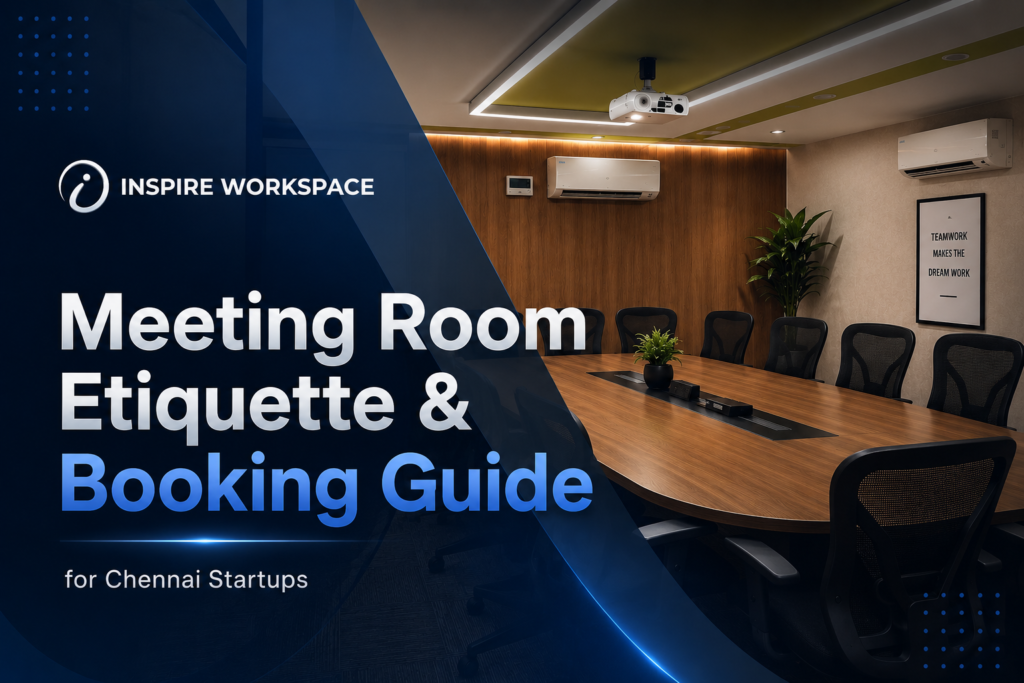
Meeting room etiquette and booking guide for Chennai startups
Blog, CEO SPEAKS, Coworking events in Chennai, Coworking Space, Flexible Office Space in Chennai, Furnished Office Space, Inspire Coworking, Inspire Office Space, Meeting Room, Renting office space in chennai, Shared Office Space

Meeting Room Etiquette & Booking Guide for Chennai Startups

Introduction A meeting room says more about your startup than your pitch deck does. Before a client hears a single word from you, they’ve already noticed whether the room was ready, quiet, and professional — or scrambled together at the last minute. For early-stage founders in Chennai, getting meeting room booking right isn’t just a logistics task. It’s part of how you’re perceived. This guide covers exactly how to book a meeting room in Vadapalani, what etiquette actually matters once you’re in the room, and the small mistakes that quietly cost startups credibility. Why Meeting Room Booking Matters for Startups Most early-stage teams don’t have a dedicated office manager. That means booking logistics — room size, AV setup, timing — often fall to whoever’s running the meeting. Get it wrong, and you’re troubleshooting a projector cable while your investor waits. Get it right, and the meeting starts on your terms. The Credibility Advantage of a Rented Meeting Room A properly booked, well-equipped coworking meeting room in Chennai also solves a problem most startups don’t talk about openly: not having a “real” office to invite clients to. A rented boardroom for an hour costs a fraction of a long-term lease and removes that awkwardness entirely. How to Book a Meeting Room in Vadapalani: Step-by-Step 1. Decide the meeting type first, then the room.A one-on-one investor call needs a small, private cabin with strong Wi-Fi. A client pitch or board review needs a boardroom-style setup with a display screen and seating for the full group. Booking based on headcount alone often leads to rooms that are the wrong shape for the conversation. 2. Check availability and lock the slot early.In business hubs like Vadapalani, peak slots — late morning and early afternoon — fill up fastest, especially around month-end when most companies run reviews. Book at least 24–48 hours ahead for anything client-facing. 3. Confirm what’s included before you commit.Not every “meeting room” comes with the same amenities. Before booking, confirm the display or projector setup, video conferencing equipment, whiteboard access, refreshments, and reception support to receive your guests. 4.Ask about buffer time. Meetings run over. Find out whether your booking includes a grace period or whether consecutive bookings will require you to leave as soon as your slot ends—this will influence how you plan the conversation. 5.Obtain a confirmation that includes your room number and the instructions regarding access. This is especially important when your guests are visiting for the first time. Provide the parking information, the specific floor and room, and also give a contact number in case they are unable to locate the entrance. The following etiquette rules for meeting rooms should be observed by every startup. Correctly booking the room is half the task. The other half consists of what takes place within it. Get there earlier than your guests do. If you arrive at the room between 10 and 15 minutes early, you’ll have the opportunity to check the screen, make adjustments to the lighting, and get used to your surroundings — rather than having to set everything up while your client is watching. Leave the room in exactly the same condition as when you first entered it. Clean the cups, wipe the whiteboard, and put the chairs in. It goes beyond mere courtesy since in a shared coworking space the next person’s booking usually starts immediately after yours, and frequent late handovers can negatively impact your account status. Make sure the phones are on silent and go out when you receive a call. Obvious, but frequently ignored. The professionalism you are aiming to show will be damaged if someone rings the phone or if there is a remark from another person during a meeting with a client. Respect the booked duration. Running over takes up someone else’s time. If you expect a meeting to run long, book extra time in advance instead of extending it on the spot. Tell your guests about it before they come. Send guests a short message with the exact location, floor, and any ID or sign-in requirements at reception. This stops them from wandering the lobby looking for you, and it helps you avoid an unprofessional first impression. Before the meeting begins, not during it, check the technology. Make sure to connect your laptop, check the video call link, and verify the audio five minutes before your guests arrive. When drafting a formal piece, avoid placing a preposition at the end of a sentence. The need to carry out troubleshooting in a live session with a client can cause a quick drop in the effectiveness of your pitch.  Common Mistakes Startups Make When Booking Meeting Rooms Why Booking Matters for Growing Startups It gives your startup a cheap way to behave and look like a bigger company — as long as you plan the booking process carefully instead of arranging it on the spot. Book Your Meeting Room in Vadapalani If you need a meeting room in Vadapalani with a reliable audiovisual setup, fast Wi-Fi, and the option to book by the hour or half-day, take a look at Inspire Office Space’s meeting rooms. Need More Than Just a Room? If your team needs more than just a room for a few hours, consider our coworking spaces in Chennai instead. Conclusion:- Final Thoughts Chennai startups without a boardroom gain a real edge by knowing how to book and use a meeting room well. It’s a cheap way to look like a bigger company — if you plan the booking instead of arranging it last-minute. Need a meeting room in Vadapalani with reliable AV, fast Wi-Fi, and hourly or half-day booking? Check out Inspire Office Space’s meeting rooms, or explore our coworking spaces in Chennai for longer team needs.

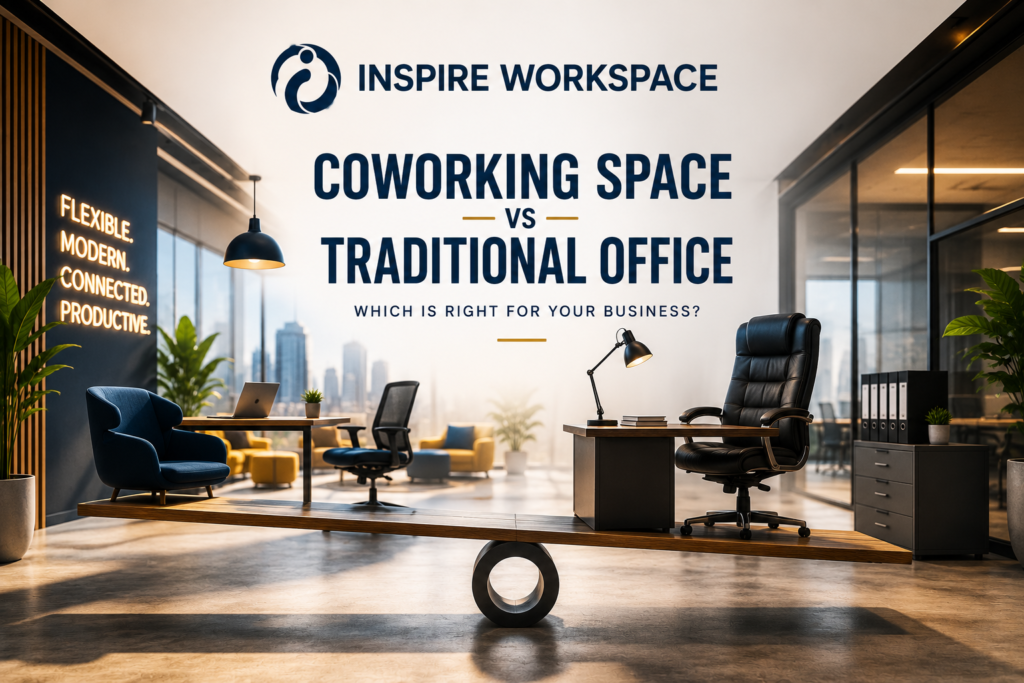
Co-working space vs traditional office comparison showing flexible workspaces, private cabins, and modern office facilities.
Blog, Coworking events in Chennai, Coworking Space, Flexible Office Space in Chennai, Furnished Office Space, Inspire Coworking, Inspire Office Space, Meeting Room, Renting office space in chennai, Shared Office Space

Co-working Space vs Traditional Office: Which Is Better for Your Business?

To determine which workspace delivers the greatest value, it is important to compare the benefits and limitations of each option. Comparing both workspace solutions allows businesses to select an environment that delivers long-term value and efficiency Let’s compare both. What Is a Traditional Office? A traditional office involves renting a dedicated commercial space exclusively for your business operations. This model gives businesses complete control over office design, branding, layout, and daily operations. Despite its advantages, a traditional office setup involves additional operational and administrative requirements, including: Office setup and interior design Traditional offices are often suitable for organizations that require complete privacy, customization, and long-term operational stability. What Is a Co-working Space? A co-working space is a fully managed workspace where businesses can begin operations immediately without handling setup or maintenance. Most co-working spaces typically include: ✔ Fully furnished workstations✔ High-speed internet✔ Meeting and conference rooms✔ Reception support✔ Housekeeping services✔ Security management✔ Utility management As a result, businesses can dedicate more time and resources to innovation, customer engagement, and long-term growth. Co-working Space vs Traditional Office: Key Comparison 1. Cost Efficiency Among all decision-making factors, cost remains one of the key considerations when choosing the right workspace Traditional Office Costs: Co-working Space Costs: For startups and small businesses, co-working spaces can improve cash flow and reduce financial pressure. 2. Flexibility and Scalability Business requirements evolve quickly. Traditional offices often require long-term commitments and may become too large or too small as teams change. Co-working spaces allow businesses to: This flexibility makes co-working an attractive solution for growing businesses. 3. Professional Business Environment A professional office environment influences how clients and partners perceive your brand. Modern co-working spaces provide: This enables companies to maintain a professional image without large capital investment. 4. Productivity and Collaboration Workspace design directly impacts performance. Traditional offices provide privacy and complete control. Co-working spaces create opportunities for: Many businesses build valuable partnerships simply by working in shared professional environments. 5. Reduced Administrative Work Managing an office requires time and resources. Traditional offices often involve handling: Co-working spaces remove these operational burdens so businesses can focus on customers, projects, and growth. Which Option Is Better? Traditional Office may be ideal for: ✔ Large enterprises✔ Businesses requiring complete customization✔ Organizations needing long-term fixed operations Co-working Space may be ideal for: ✔ Startups✔ Freelancers✔ Consultants✔ Remote teams✔ Growing businesses✔ Small and medium enterprises Benefits include: Conclusion Workspaces are evolving, and businesses increasingly prioritize flexibility, efficiency, and scalability. While traditional offices remain valuable in certain situations, co-working spaces provide a modern solution that helps businesses operate efficiently and adapt quickly to changing needs. If you are looking for a professional workspace designed to support productivity and business growth, a co-working environment can be a practical choice. At Inspire Office Space, businesses can access co-working spaces, private cabins, meeting rooms, and managed office solutions designed to help teams work smarter and grow faster.

Decoding Coworking: Types, Trends, and Business Impact
Blog, Coworking Space

Decoding Coworking: Types, Trends, and Business Impact

Coworking spaces: Coworking spaces have revolutionized the modern workplace by offering flexible, cost-effective, and collaborative environments. Whether you’re a startup, a small business, or a large corporation, coworking spaces offer a tailored solution to suit diverse needs. This blog will explore the different types of coworking spaces, the key trends, and their impact on business growth. 1. What is Coworking? Coworking began in 2005 in San Francisco’s Mission District, evolving from a small collective into a thriving industry. The idea was simple: to offer affordable office spaces with flexible lease terms, enabling businesses to scale without committing to long-term real estate investments. Office spaces now cater to a variety of industries, offering private offices, shared workspaces, conference rooms, and even event venues. Specialized spaces support diverse groups, including tech professionals, creatives, and entrepreneurs. 2. Types of Coworking Spaces: Choosing the right Office space depends on your business’s needs, culture, and budget. Here are the key types: 1.1. Conventional/Open This type offers an open, collaborative environment ideal for networking and creativity. It’s a popular choice for freelancers and small teams. 1.2. High-End/Full-Service With luxury amenities, this type offers a premium experience. It includes features like high-end office furniture, concierge services, and access to exclusive events. 1.3. Corporate/Professional Designed for established businesses, these spaces offer private offices and a professional environment. Companies like Regus cater to corporate clients who need a quieter, more focused atmosphere. 1.4. Private Workspaces Private offices provide lockable doors and the ability to brand your space. They are ideal for businesses that value privacy but want flexibility. 1.5. Minimal/Bare Bones This budget-friendly option offers basic amenities like Wi-Fi and a quiet environment, focusing on affordability over luxury. 1.6. Shared Space/Subleased In this arrangement, companies share a space that has been leased by another entity. It’s cost-effective but offers less control over the space. 1.7. Lifestyle These spaces blend work and lifestyle elements, such as coffee shops or gyms. They are casual and offer limited privacy but an energetic atmosphere. 1.8. Industry-Specific/Specialized Tailored to industries like healthcare or law, these spaces offer customized features to meet the specific needs of professionals in those fields. 1.9. Venture/Accelerated Startup-friendly spaces that foster collaboration and innovation. They typically offer lower prices to attract new businesses. 1.10. Meeting Space Meeting rooms for rent provide companies with professional spaces to hold meetings or conferences without committing to a full-time office. 1.11. Virtual Offices These spaces offer professional addresses and meeting spaces without the need for a physical office, ideal for solo entrepreneurs or small businesses. 3. Why Should You Consider Coworking Spaces? Coworking spaces offer several advantages, such as: 4. Impact of Coworking on Business Growth Coworking spaces have had a significant impact on how businesses operate and grow, particularly in the post-2020 landscape. 1.1. Adapting to Remote Work As remote work becomes the norm, coworking spaces provide the infrastructure needed for teams to collaborate without a permanent office. Major companies like Boeing and REI have shifted to remote models, with Office spaces offering flexible solutions. 1.2. Resilience During Economic Challenges Despite the challenges of the COVID-19 pandemic, coworking spaces showed resilience, bouncing back as businesses sought flexible, cost-effective alternatives to traditional office spaces. The demand for Office spaces is now increasing as companies shift away from traditional real estate investments. 1.3. Geographic Shifts and Population Movement The rise of remote work and a shift to suburban living has increased the demand for coworking spaces in previously underserved areas. This geographic distribution allows businesses to access professional spaces closer to home. 5. The Future of Coworking Spaces The coworking industry is expected to continue growing, with global demand for flexible office spaces projected to rise. By 2022, it was estimated that 6% of all U.S. businesses would operate in Office spaces, and the trend is set to expand globally. This growth will be driven by an increasing variety of clients, from small startups to large enterprises. Conclusion Coworking spaces offer a range of benefits, from flexibility and affordability to collaboration and networking opportunities. With various types to choose from, businesses can find a space that meets their unique needs. Whether you’re a freelancer, a startup, or an established company, Office provides the ideal environment to grow and thrive in today’s dynamic work landscape.

leverage technology
Blog, Coworking Space

How Businesses Can Leverage Technology to Enhance Office Efficiency

Introduction of Leverage Technology: In today’s fast-paced business environment, the role of Leverage technology has evolved beyond just an operational tool. It has become a strategic asset for organizations looking to stay competitive, maximize productivity, and streamline processes. Harnessing Leverage technology effectively can drive efficiency across departments, optimize workflows, and enhance collaboration among employees. Businesses that embrace technological advancements can improve decision-making, reduce costs, and create a more agile working environment. In this blog, we explore how companies can leverage technology to boost staff productivity, streamline communication, and improve operational efficiency. Revamp Your Office Communication Strategy in Leverage Technology: Effective communication lies at the heart of productivity and collaboration within any organization. Traditional communication methods, such as email, often lead to delays in decision-making and misunderstandings. By implementing instant messaging software like Slack or Microsoft Teams, businesses can facilitate faster and more dynamic interactions between team members. These platforms allow employees to engage in real-time conversations, share files, and even create dedicated channels for specific projects or departments. Real-time communication provides a significant advantage, especially in remote or hybrid work environments, where traditional in-person meetings may not always be feasible. Employees can quickly address questions, resolve issues, and exchange ideas, leading to faster decision-making and smoother workflows. Moreover, the ability to organize conversations by topic, project, or department ensures that employees can easily access relevant information, making communication more efficient and less time-consuming. Additionally, integrating collaboration tools such as Google Workspace or Microsoft 365 with your messaging platforms can further enhance the ability to work together, share documents, and collaborate on projects seamlessly. By embracing digital communication tools, businesses not only increase team productivity but also foster a more connected and collaborative work culture. Set Up Video Conferencing for Seamless Communication in Leverage Technology: The rise of video conferencing has revolutionized how businesses interact with remote teams, clients, and partners. Platforms such as Zoom, Google Meet. Microsoft Teams allow employees to conduct meetings, discussions, and consultations without the need for travel. With video conferencing, employees can engage face-to-face, regardless of their physical location, leading to more effective and personal communication. One of the significant benefits of video conferencing is the ability to record meetings. which can be useful for participants who may not be able to attend live. Recorded sessions ensure that key information, decisions, and action items are preserved, enabling employees to review them later. This functionality boosts meeting productivity as it allows participants to focus on the discussion without the distraction of taking detailed notes. Furthermore, video calls can be easily integrated with screen sharing features, enabling employees to showcase presentations, documents, or data to colleagues and clients in real-time. For companies with global operations or clients in different time zones, video conferencing removes the geographical barriers to communication, making it easier to conduct business without costly travel. Whether you’re in the office, working from home, or on the go, the ability to hold face-to-face meetings with ease can significantly improve efficiency and collaboration. Implementing ERP Software to Streamline Operations in Leverage Technology: Enterprise Resource Planning (ERP) software is one of the most powerful tools a business can implement to enhance overall efficiency. An ERP system integrates various business functions, such as accounting, inventory management, human resources, customer relationship management (CRM), and supply chain management, into a single platform. This centralization of business data eliminates silos, reduces redundancies, and improves communication across departments. For example, by integrating ERP software, managers and employees gain real-time access to vital business data, allowing them to make better-informed decisions. A sales team can see up-to-date inventory levels, helping them avoid over-promising products that are out of stock. Similarly, the finance department can track expenditures and revenue in real-time, ensuring they have a comprehensive understanding of the company’s financial health at all times. With the ability to manage operations from a single dashboard, businesses can increase accuracy, reduce errors, and save time spent on manual tasks. ERP systems also help automate key business processes, such as order processing, billing, and procurement. Automation reduces the need for manual data entry and ensures that tasks are completed on time and without error. This not only helps you in saving time but also frees up the employees to focus more on strategic tasks, enhancing the overall employee productivity. Enhance Workstations for Optimal Business Performance in Leverage Technology: The productivity of employees is directly linked to the quality of their workstations and the Leverage technology they use. Outdated systems and slow networks can hinder business performance and cause frustration among employees. Upgrading workstations, whether it’s replacing outdated hardware, improving network infrastructure, or updating software applications, is crucial for ensuring that employees can work efficiently. A key component of enhancing workstations is ensuring that all employees have access to the latest hardware and software. For instance, providing high-performance computers and laptops can help employees complete tasks faster, while updated operating systems and software can improve compatibility with modern applications and tools. It’s also important to ensure that your network infrastructure can handle the growing demands of cloud-based applications and video conferencing tools. Alongside hardware upgrades, it’s essential to implement the latest software versions. This ensures that employees have access to the most secure, feature-rich, and efficient tools available. Furthermore, regularly updating systems helps prevent security vulnerabilities and ensures compliance with industry standards. Working with a trusted IT service provider can help ensure that your Leverage technology infrastructure remains robust, secure, and optimized for performance. By investing in modern workstations, businesses can ensure that employees have the tools they need to succeed, ultimately improving productivity and operational efficiency. The Role of Cloud Computing in Boosting Efficiency in Leverage Technology: Another powerful tool for enhancing business efficiency is cloud computing. Cloud services such as Google Drive, Dropbox, and OneDrive allow businesses to store data securely in the cloud, providing employees with access to important files and applications from anywhere, at any time. This flexibility is particularly valuable in the age of remote work, as it enables employees to stay

Hot Desk | Inspire Office Space
Blog

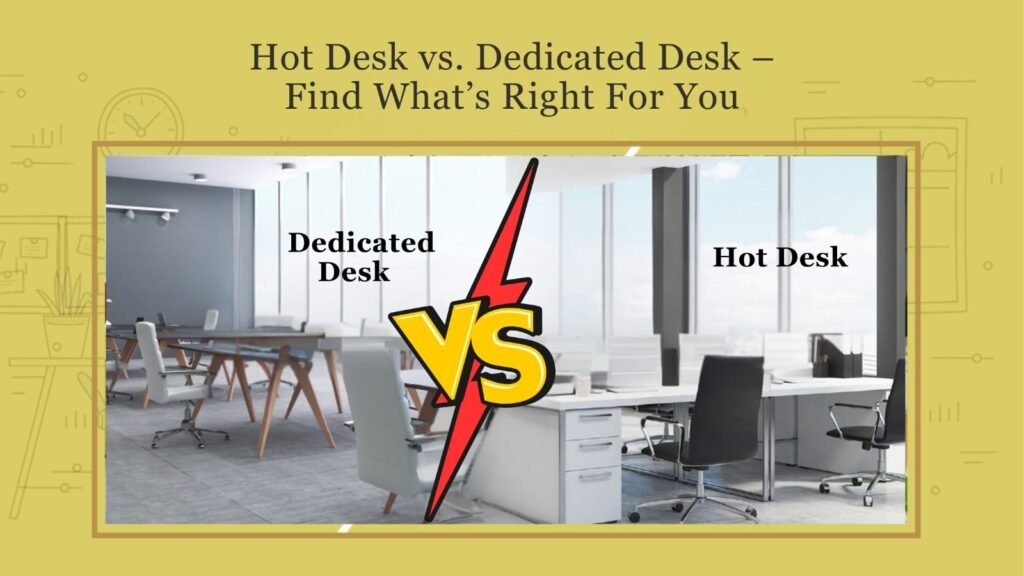
Hot Desk vs. Dedicated Desk – Find What’s Right For You: A Comprehensive Guide

1. Introduction to Coworking 1.1 Definition of Coworking Hot desks offer a versatile work environment where professionals from various fields come together to share a workspace. This approach fosters collaboration, creativity, and community while providing essential resources for enhanced productivity. 1.2 The Rise of Flexible Work Environments In recent years, the nature of work has undergone significant transformation, with more professionals opting for flexible working arrangements. As remote work gained popularity, coworking spaces emerged to cater to individuals and companies seeking a shared, dynamic environment that balances structure and flexibility. 1.3 Overview of Desk Options in Coworking Spaces Within coworking spaces, two primary desk options have gained traction: hot desks and dedicated desks. Each offers its own set of benefits and drawbacks, catering to different work styles and preferences. 2. Understanding Hot Desking 2.1 What is a Hot Desk? A hot desk is a flexible workspace that does not have a designated seat. Users enjoy the flexibility and freedom to choose any open desk on a first-come, first-served basis. This setup promotes interaction among coworkers and adaptability to changing work dynamics. 2.2 Advantages of Hot Desking 2.2.1 Cost-Effectiveness Hot desking often comes at a lower price point than dedicated desks, making it a budget-friendly option for freelancers and startups looking to minimize overhead costs. 2.2.2 Networking Opportunities The fluid nature of hot desking fosters a diverse environment where individuals can connect and collaborate with peers from various industries, enhancing networking opportunities. 2.2.3 Flexibility and Adaptability Hot desking allows professionals to choose their workspace according to their mood or task at hand, encouraging a more dynamic approach to work. 2.3 Disadvantages of Hot Desking 2.3.1 Lack of Personalization With no assigned desk, individuals may find it challenging to personalize their workspace, which can impact comfort and productivity. 2.3.2 Disruption and Noise The movement of people and activities can create a noisy environment, making concentration difficult for some workers. 2.3.3 Uncertainty of Workspace Availability The first-come, first-served nature of hot desking can lead to uncertainty about whether a desk will be available when you arrive, which may cause stress for some users. 3. Exploring Dedicated Desks 3.1 What is a Dedicated Desk? A dedicated desk is a reserved workspace that is assigned to a single user for their exclusive use. This setup provides a personal and consistent work environment. 3.2 Advantages of Dedicated Desks 3.2.1 Personalization and Control Dedicated desks allow individuals to create a workspace that reflects their style and needs, enhancing comfort and ownership of their environment. 3.2.2 Consistency and Stability Having a set workspace promotes routine and stability, which can be beneficial for focused work and long-term projects. 3.2.3 Enhanced Productivity Many find that a familiar workspace minimizes distractions and can enhance overall productivity, making it easier to concentrate on tasks. 3.3 Disadvantages of Dedicated Desks 3.3.1 Higher Cost Dedicated desks generally come at a higher price point, which may not be feasible for all freelancers or startups. 3.3.2 Limited Networking The fixed nature of a dedicated desk may limit opportunities for spontaneous interactions and collaborations with others. 3.3.3 Less Flexibility Dedicated desks can lack the flexibility that hot desking provides, potentially leading to monotony for some users. 4. Comparison of Hot Desks and Dedicated Desks 4.1 Cost Analysis 4.1.1 Startup Costs Hot desks usually entail lower initial costs, making them ideal for startups or freelancers. In contrast, dedicated desks often require a higher upfront payment. 4.1.2 Ongoing Expenses While ongoing costs for hot desking are typically lower, dedicated desk users may experience stable monthly fees that are predictable for budgeting. 4.2 Workspace Experience 4.2.1 Environment and Culture Hot desking fosters a diverse and vibrant environment, while dedicated desks can create a more stable, albeit potentially less dynamic, culture. 4.2.2 Accessibility and Location Both options often offer prime locations, but the workspace experience can vary based on design and available amenities. 4.3 Suitability for Different Types of Workers 4.3.1 Freelancers and Remote Workers Hot desks may appeal to freelancers seeking flexibility, while dedicated desks provide stability for remote workers with consistent tasks. 4.3.2 Small Teams and Startups Small teams may benefit from the collaboration opportunities of hot desking, while startups aiming for a strong identity may prefer dedicated spaces. 4.3.3 Corporations and Enterprises Big businesses might choose dedicated desks for employees needing consistent workspaces but can also implement hot desking to optimize space. 5. Making the Right Choice for You 5.1 Assessing Your Work Style and Needs 5.1.1 Personal Preferences Consider whether you thrive in an informal, ever-changing environment or if you require a stable, personalized workspace. 5.1.2 Types of Work Tasks Evaluate your daily tasks. If they demand high concentration, a dedicated desk might be more suitable. Conversely, if you often collaborate, hot desking could offer the advantage. 5.2 Evaluating Your Budget Analyze your financial situation. Determine what you can afford and whether the cost of dedicated desks aligns with your income or funding prospects. 6. Conclusion 6.1 Recap of Key Points In summary, both hot desks and dedicated desks have their unique advantages and disadvantages. Understanding these can help you make the most informed decision for your working style. Take the time to think about your work environment preferences and how they align with your professional goals. 6.2 The Future of Workspaces As we look ahead, the trend of flexible workspaces is likely to continue evolving, presenting further opportunities for innovation in how we collaborate and create.